Slack Integration
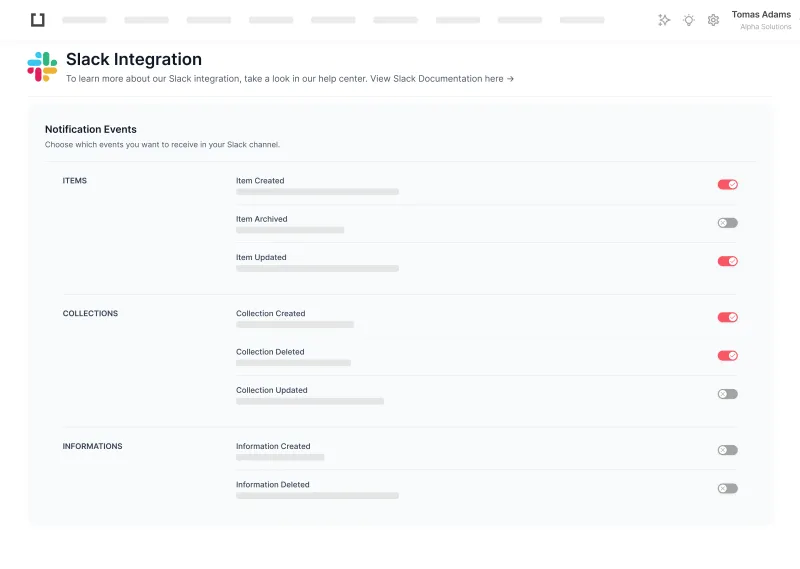
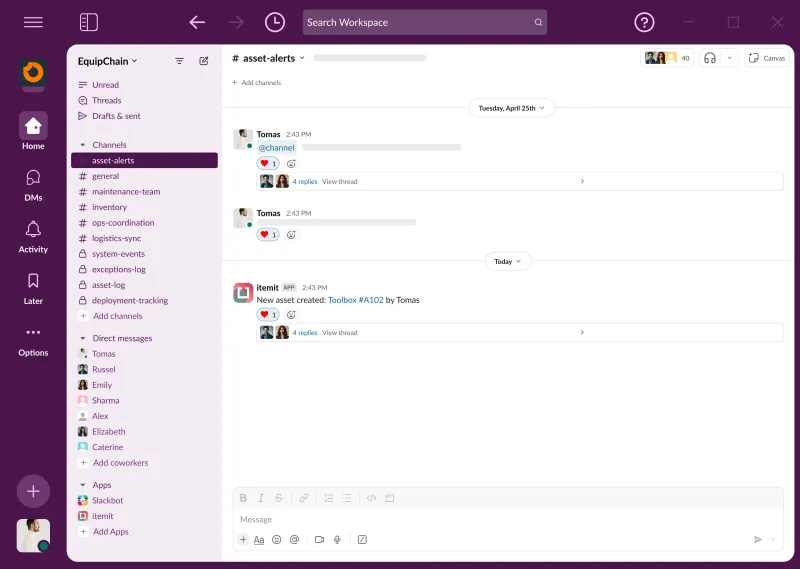
Enable PowerUpSlack Integration is the itemit PowerUp for Slack asset management notifications: it posts activity from your asset register into a Slack channel your team already watches. You connect the workspace through Slack's own authorisation, invite the itemit bot into one channel, then switch on the event categories you want from the sixteen available. An equipment store might take check-outs and returns only. A workshop might add issues and reminders. A finance lead might want values and nothing else. Whatever you pick, the people who need to know an asset has moved find out without opening itemit, and because notifications travel one way, nobody can change a record from a chat window.
The Problem
The people who need to know an asset has moved are rarely the people sitting in the asset system. Booking changes and check-outs go unnoticed until somebody walks to the store cupboard and finds it empty.
The Solution
Activity arrives where your team already works. Choosing which event types post means the channel stays useful rather than becoming something everyone mutes in the first fortnight.
In Action
A production company sends check-out and check-in events into their #kit channel. When a camera body goes out on a Friday shoot the whole crew sees it, and the Monday hunt for missing equipment stops being a weekly ritual.
Key Features
- Connect your Slack workspace with a single OAuth authorisation
- Invite the itemit bot into whichever channel should receive notifications
- Sixteen event categories: bookings, check-outs, items, inventory, comments, issues, reminders, tags, files, RFID, collections, locations, booking requests, values and assignments
- Toggle each category independently so the channel stays worth reading
- Notifications for issue creation, status and priority changes
- Booking request created, approved and rejected alerts
- Disconnect Slack at any time from the PowerUp settings
Preview
Integration with itemit
Requires a Slack workspace you can install apps into. Notifications travel from itemit to Slack only.
Frequently Asked Questions
Ready to get started?
Start your free 14-day trial today. No credit card required.
More PowerUps
View All
Xero Integration
Connect a Xero organisation, push itemit assets into its fixed asset register, and read the accounting figures back onto the item.
Utilisation Reminders
Trigger maintenance from hours used rather than dates on a calendar. Set a threshold and itemit raises the reminder when an asset reaches it.
Asset Maintenance Scheduler
Prevent critical failures before they happen. Automate servicing schedules based on time or usage.
