Computers will run a large portion of your business. Because of this, you'll need to know which models you own, how well they're running, and which software and user-accesses are linked to them. This is where computer asset tracking software comes in.
With computer asset tracking software, you'll be able to create an asset inventory of your computers, add crucial information, and track your computers with greater control and visibility than a spreadsheet can provide.
What is Computer Asset Tracking Software?
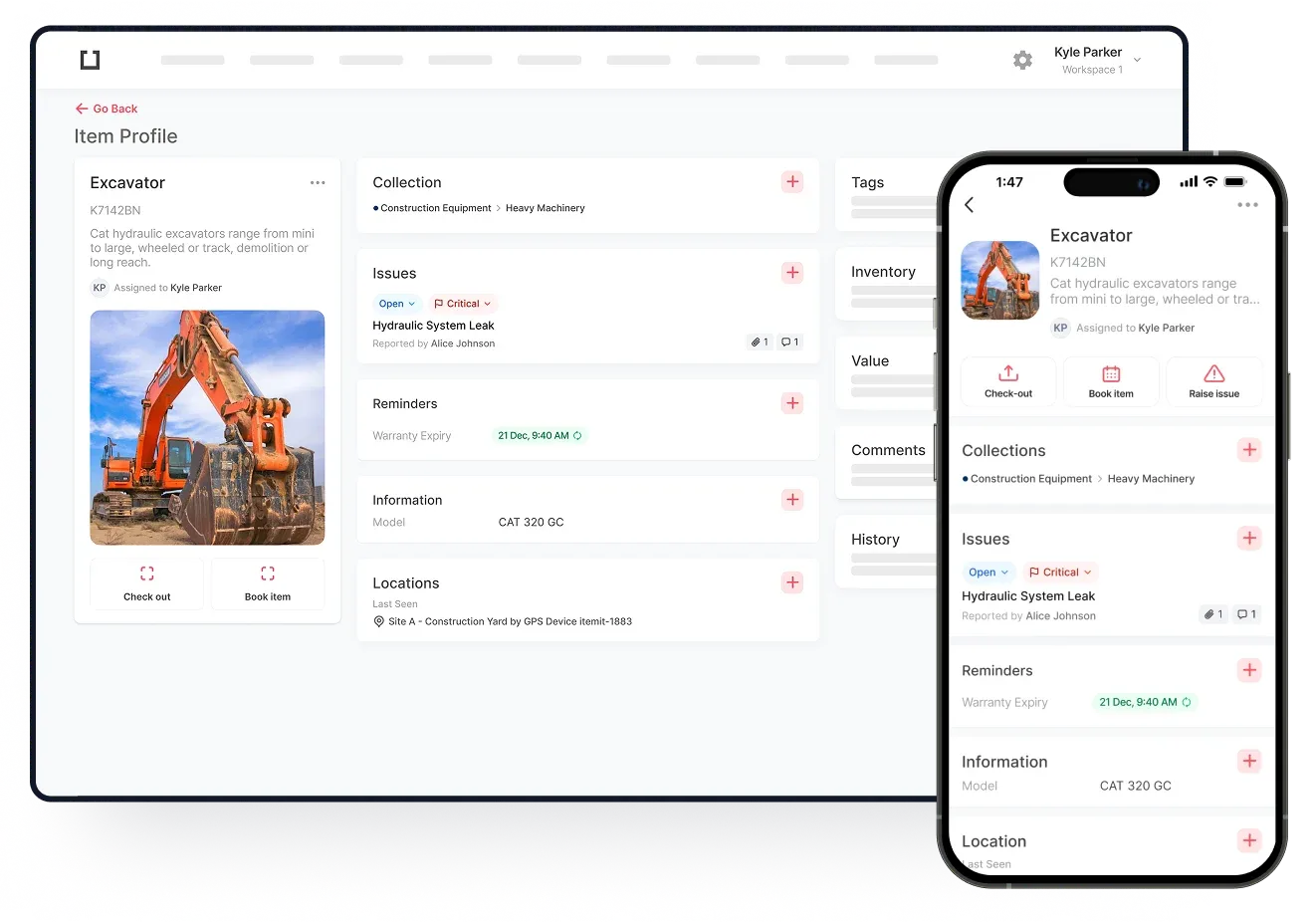
Computer asset tracking software is a system where you can add computers as unique assets. What this means is that each of your computers will have their own profile and any changes, such as maintenance or PAT testing, can be logged against a specific computer.
What this means is you'll create an asset history against a computer, being able to see which of your computers have needed more maintenance and which are running smoothly.
This provides you with the visibility and control you need to see how all of your computers are running by breaking the system down and giving you the ability to monitor changes against individual computers.
With computer asset tracking software, you'll also be able to use QR code asset tags or barcodes to retrieve and edit asset profiles in your system quickly. All it takes is a scan, and then you can log any changes to users, maintenance, pricing, or location against a computer.
Ultimately, this makes your IT asset management quick and easy, allowing you to view and control what you own and how it's being used.
The Benefits of IT Asset Management
As you can add any information you need against computers, you get a digital system which shows you exactly what you need to see. Using reports, you'll be able to look for specific things, such as which equipment is due for a PAT test.
Computer asset tracking software and IT asset management give you greater control of your assets. You also get greater connectivity with your assets, being able to view and edit them online in a digital profile, as well as in person.
This level of control makes your operations a lot simpler and a lot more visible. This means that you'll be able to plan for maintenance better, minimise asset downtime, and utilise your asset management tools to get a better financial picture of your assets.
All of this saves your business the time and money it needs to scale, improve, and grow, while also helping you optimise your asset usage.