
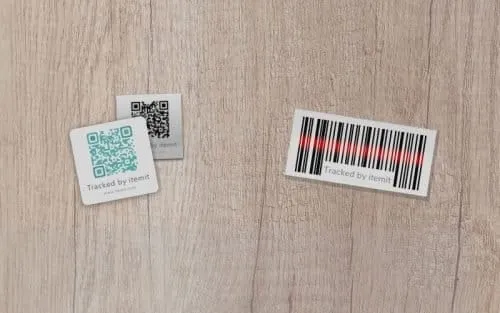
Asset stickers help you monitor your business' critical equipment. You can use them for tools and equipment tracking, IT asset management, fixed asset tracking, and more.
They are physical stickers that you can stick onto your assets. They contain a unique code, and you can scan this code into your asset tracking software.
How Do Asset Tags Work?
Another name for asset stickers is asset tags. Asset tags are used in all manner of asset tracking operations to speed up asset monitoring and to increase accountability.
If you're well versed in using a spreadsheet for your asset tracking operations, you'll already know the gaps. Onsite audits are lengthy and unwieldy as you need to record any changes onsite, then update your asset register later.
Even with asset tracking software, you need to perform searches on your assets when you're on-site to ensure that you're updating the correct records.
Asset tags remove the need for this as, now, you'll be able to scan a tag to retrieve the correct records, ready for speedy and accurate updates to your data.
How To Use Asset Stickers
Using asset stickers is simple. First of all, you can create an asset register in your asset tracking software. This will contain your asset information and records.
For example, if you're using the system for construction equipment tracking, you'll be able to log each spanner, tool, drill, and all of your heavy equipment. Each of these assets will have a unique profile.
Then, you'll be able to stick your asset stickers onto your equipment and scan them into your asset tracking app. As the sticker contains unique information, it links to a unique asset profile.
What this means is that now, every time you scan the asset's sticker, it will retrieve the corresponding assets' profile on your asset tracking app, ready for you to add issues, information, or view attachments.
 Watch video





