
Asset labels complement asset tracking software. While not essential to keeping an accurate log of your assets, asset labels can unlock a range of functions, improvements, and abilities when it comes to managing your assets.
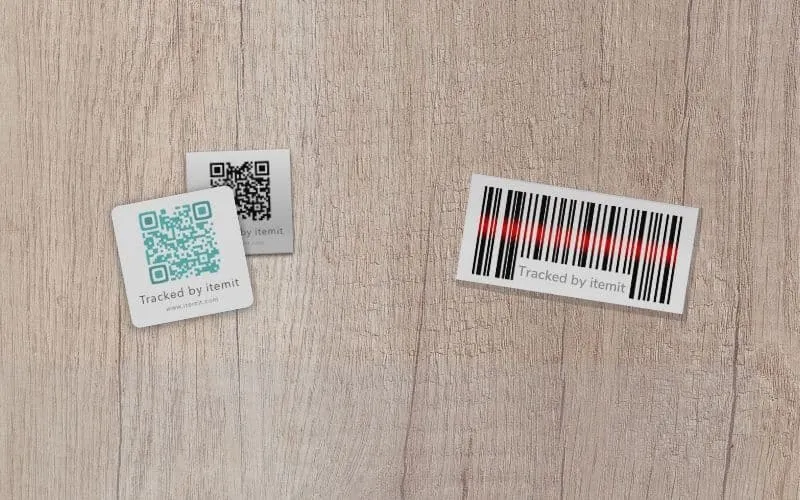
Asset labels are physical tags that you stick onto your assets and link with unique asset profiles. Then, every time you scan an asset's tag, the last seen location will update and the asset's profile will open up, ready for you to log your edits.
Time Saving Benefits
First of all, asset labels give you a range of time-saving improvements and benefits. Without asset tagging, you need to find your assets on an asset tracking app using a search function. Asset tags remove this need.
Therefore, asset discovery is sped up with tagging capabilities. This means that the process of reporting an issue is scanning an asset's tag and reporting the fault using a dedicated feature. This process takes seconds, as opposed to moments without tags and hours without asset tracking software.
Every time you scan an asset's tag, too, the last seen location updates using your phone's GPS. The time of the scan and the user who scanned the tag is logged too, thus automating a transparent audit trail.
Improve Accountability With Asset Labels
Asset labels then unlock further capabilities. These are great for managing bulk changes or updates to your system as your operations are simplified by a "scan" mentality.
So, if you need to audit your assets and ensure that they're all in the location they should be, this is simple when you use tagging. All you need to do is select the location you're in and hit "audit". Then, you can scan the tags around you and the app will do the rest.
 Watch video
Similarly, if you need to log that a bulk of assets has moved from one location to another, this too is simple. You need only enter the location you wish to move the assets to and press "quick add". Then, you can scan all of your assets into that new location. Doing this also automatically unassigns them from the location they were in previously.






