If you're in the film industry, a theatre, or in the gaming industry, you'll have a lot of props and costumes that you need to track and manage. It's essential to ensure that your asset tracking for props is robust and effective. To make sure that it is, you'll be able to use asset tags.
With asset tagging and tracking, you'll be able to track the movement of your props and costumes, log any bookings or props that have been hired, and create a full history of your props' movements and activity.
As props and costumes change hands a lot, hands-free asset management is essential, too, to ensure that everything remains clean and safe for your colleague's and performers.
What Are Asset Tags?
Asset tags are physical tags which you can attach to assets to track data related to them. They work by integrating physical assets with digital counterparts, or, asset profiles.
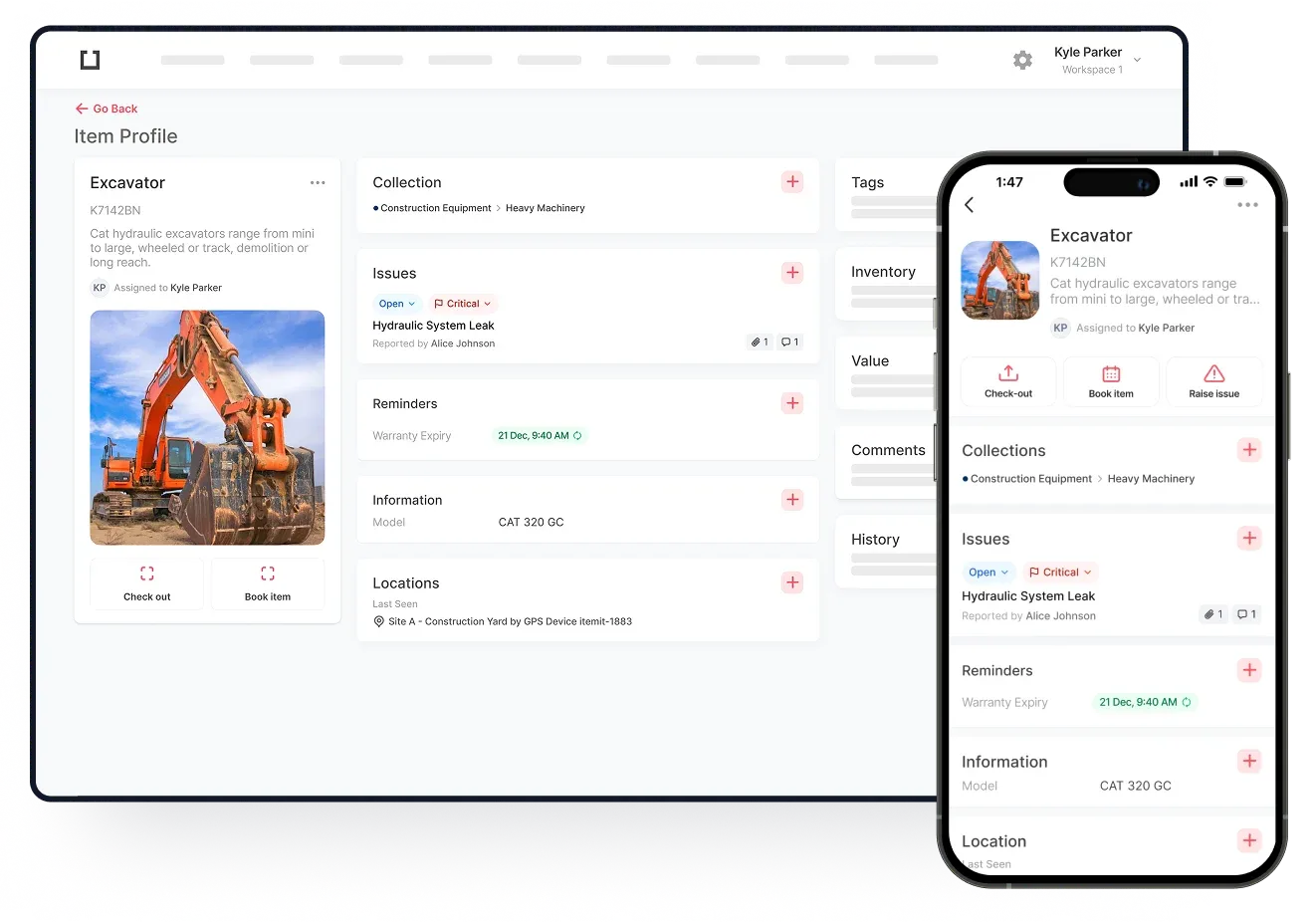
You'll use an asset tracking software to create unique asset profiles. On these profiles, you can add any information, including financial information, important dates, and reminders. This way, you'll be able to manage all of the changes your props and costumes are going through remotely and transparently.
Then, you'll link these digital asset profiles with the physical assets by attaching asset tags. Every time you scan an asset's tag with your asset management app, the last-seen location updates and that asset's digital profile opens up, ready for speedy editing and updating.