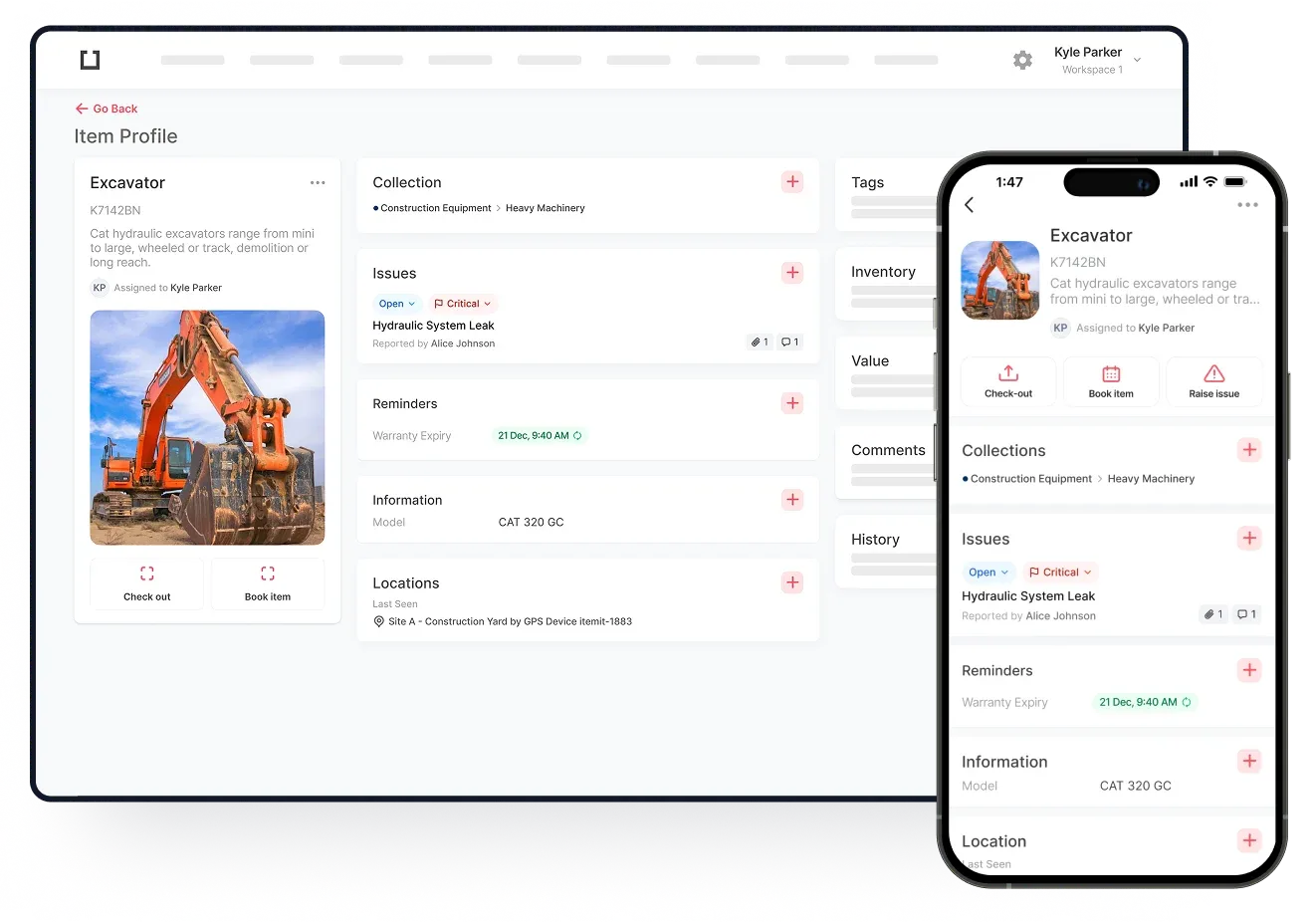
Equipment checkout software helps you keep track of your equipment hires and bookings. This way, you can keep a closer eye on where your assets are and who they're with.
With equipment checkout software, you can schedule maintenance downtime and create bookings to show when assets are due to be unavailable. This creates a full level of transparency for your team when it comes to shared assets.

How Does Equipment Checkout Software Work?
Equipment checkout software works by using asset tracking software principles. Your equipment checkout software will have a backend where you can create and log critical asset information, giving you a highly scalable and streamlined system.
In other words, you'll be able to log each of your assets in individual profiles and add data to these profiles. So, if you're using equipment checkout software in tandem with tools and equipment tracking systems, you'll be able to perform these operations in a single system.
This way, each tool has a helpful feature where you can add information with ease. So, the next step is to click a button to either book or check out that tool.
 Watch video
How To Use Equipment Checkout Software
Equipment checkout software is simple to use. First of all, you will need to log your asset register. This will have many speed and ease of use functions, such as the ability to bulk add and bulk clone assets.
You can then use asset tags to speed up your operations, too, but this isn't necessary. Asset tags are physical tags that you use to link your physical assets to their digital profiles in your asset tracking system.
Once you've added and tagged your assets, the process of booking them and checking them out is simple. Scan the tag and press "book asset".
When you use asset tags you can create bulk bookings with ease, too. In other words, you can scan a group of asset tags to add them to a booking, saving you time in the process.