Your business assets and how well you manage them define you as a company and what you’re capable of. Regardless of what sort of business you run or work at, tools, equipment, vehicles — collectively known as assets — are vital for daily operations.
It’s for the same reason that it’s so important to make sure all assets are well-maintained, fully utilised and tracked to prevent damages, losses, or misplacement. The slightest asset-related inconveniences can disrupt service delivery, cause delays, or an eventual halt to a project.
This is where asset tracking comes in. A solution that enables you to minimise the chances of these problems occurring and ensure smooth operations while at the same time boosting business growth.
itemit brings you a complete guide to asset tracking software. Read on for everything you need to know from what it is, how it works and what you can do with it.

What is Asset Tracking Software?
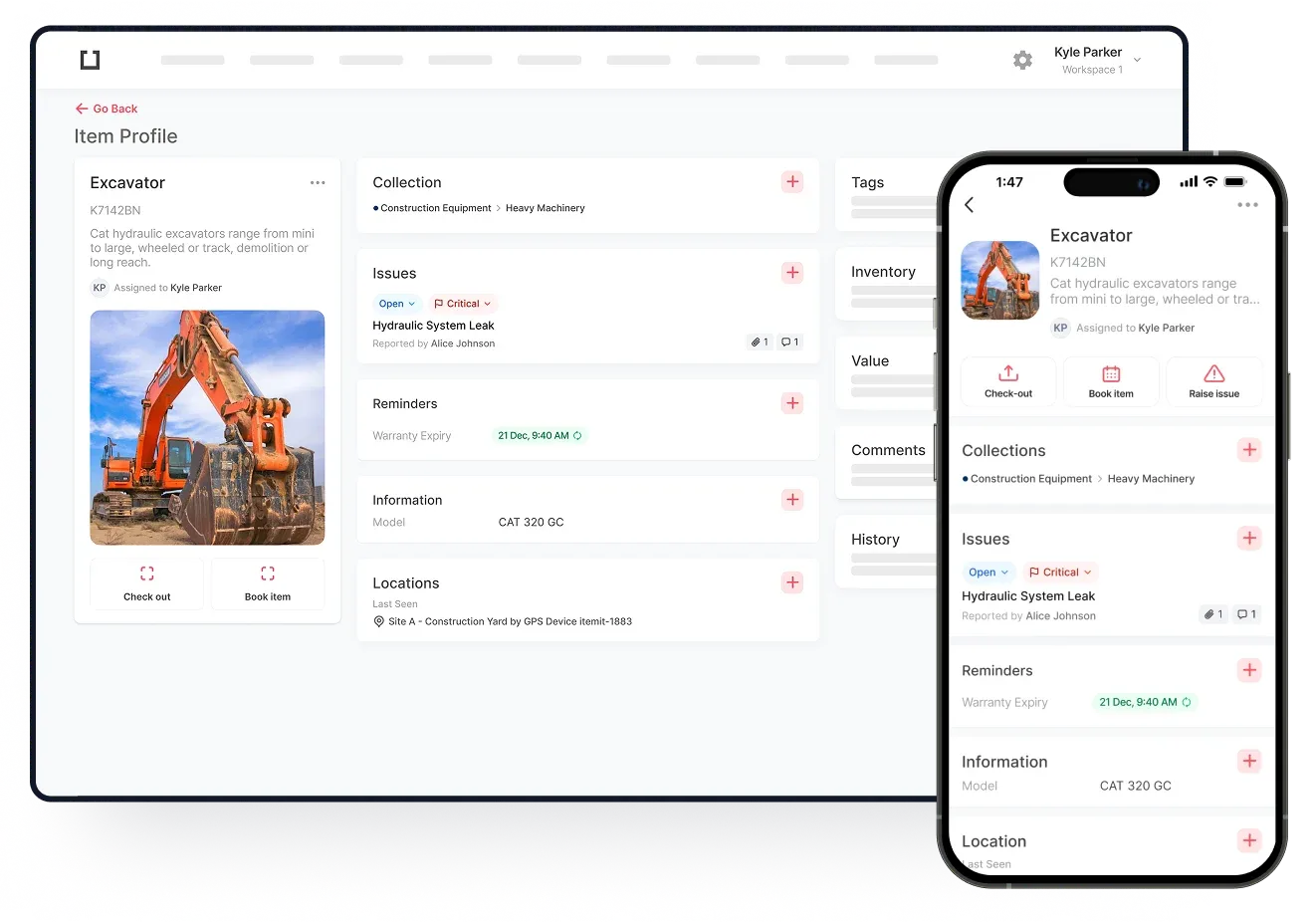
Asset tracking is the process of recording and monitoring all your business assets in an asset register. You keep logs of the most basic information like what assets you own, where they are and who has them. Moreover, you can also record more specialised data like asset status, utilisation history and more, all in real-time.
The functionalities we’ve described above are only the most basic. Yes, there are a lot of other things that asset tracking software does, but we’ll stick to the aforementioned for simplicity.
Asset tracking software empowers you to do all that and much more, leveraging state-of-the-art technology, seamlessly integrated applications, extreme shareability and last but not least, a very user-friendly interface.
How Does Asset Tracking Software Work?
The first step in asset tracking is deciding what assets to track, what type of asset it is and then adding it to the respective asset register. It is a good idea to work out what kind of asset tracking you are looking for.
Do you want to track IT hardware only? Fixed assets? Or are you looking for an all-inclusive asset register for mixed assets? Here are the most common types of asset tracking.
- Fixed Asset Registers
- IT Asset Management
- Tools and Equipment Tracking
- Check-in and Checkout Software
Once you’ve decided, it’s time to log an asset. All you have to do is open the software and add a new asset with all the details you want to record. The asset is now a part of your digital asset register that can be accessed from any device with the itemit app or web portal.
The next phase is tracking. Every time the asset is moved, given to another employee, out-of-order or sent for repairs, everything can be updated through the asset tracking software.
For instance, if an employee sees that a printer is out of ink, they can open the itemit app, and mark the printer in need of maintenance and mention that it needs an ink refill. The asset tracking software automatically sends out notifications to the concerned people about the maintenance so they can address it accordingly. Once the printer is refilled, another employee can track it so everyone knows the printer is now working.
 Watch video
While asset tracking software itself is a powerful piece of technology that can improve your business operations by a lot, you can put it into turbo boost with asset tags. Tagging increases asset tracking efficiency and opens up new opportunities to boost business productivity.
Now, when you’re carrying out audits, it’ll be a walk in the park for you since you’ve already got everything tracked in real-time. If you’ve used the asset tracking software right, you need only to generate configurable reports for all your assets. That’s it!