Your IT inventory is undoubtedly making life easier. However, you're losing out on the maximum potential if you're not in full control. The good news is that IT inventory management helps you make the most of their IT assets. With it, you will be able to take control over, optimise, and maximise your IT assets.
Not everybody knows how to manage an IT inventory, much less achieve the best results from it. This comprehensive guide helps to take the very first step in the right direction toward effective IT inventory management.
What’s In Your IT Inventory?
So, what do you have in your IT inventory? The straightforward answer is anything related to your computer systems. It includes PCs, laptops, tablets, cables, modems, printers, and even fax machines if you still use them. You may be surprised to see how many IT assets you actually have.
IT inventory may include licences, subscriptions in the cloud, and other digital assets. This is as relevant to monitors as hardware devices. After knowing what's in your IT inventory, it will be crystal clear why effective IT inventory management is important. Create a list that is as detailed as possible, containing everything from a computer screwdriver up to computers, laptops, tablets, and software. This panoramic view lets you take control of everything.
What is IT Inventory Management?
IT inventory management is important for day-to-day operations and long-term strategic planning. Tracking patterns of asset use enables you to recognise areas for cost-saving and better resource allocation, therefore contributing to the overall efficiency of your IT ecosystem.
With effective IT inventory management, you can:
- Manage faults and set up regular maintenance schedules
- Track who has access to each asset
- Know where your assets are at all times
- Ensure assets are in the correct locations
- Improve budgeting by understanding asset lifecycle costs
In short, IT inventory management provides you with greater accountability and insight into how your assets are being used. By choosing the best IT inventory management software that offers reporting capabilities, you can easily print detailed reports to help make data-driven decisions. This allows you to use your assets in ways that benefit your business.
How to Manage IT Assets Inventory Effectively
Learning how to manage IT assets inventory effectively is key to optimising their value and ensuring that your business operations run smoothly. To do this, it’s essential to follow best practices such as:
- Regular Audits: Conduct regular audits of your IT inventory to verify that records match physical assets. This helps identify missing items, ghost assets (assets that are lost or no longer in use but still on record), or underutilised equipment.
- Automate Asset Tracking: Use an asset tracking system, that includes features like RFID tags, barcodes, or an asset tracking app. Automation reduces manual errors and provides real-time visibility of your IT assets.
- Update Asset Information: Keep asset profiles updated with information such as location, assigned user, warranty, and maintenance history. Accurate data ensures that you can make informed decisions when managing your assets.
- Schedule Preventative Maintenance: Implement a maintenance schedule to keep your IT assets in good condition and avoid costly repairs or replacements.
Use Inventory Management Software: Choosing the best IT inventory management software that meets your specific needs will make tracking and managing your assets easier. Look for software that offers features like customisable reporting, check-in/check-out capabilities, and RFID compatibility.
How Easy Is It To Implement Inventory Management?
The good news is that implementing IT inventory management is straightforward. Start by selecting software that suits your needs. Look for features like check-in/check-out capabilities, fixed and handheld RFID compatibility, and options to organise assets into collections.
Once you’ve chosen the software, implementing it is simple. Attach an RFID tag or barcode to each of your IT assets and scan them into the system. As you add assets, create detailed profiles for each one. The more information you include, the more useful the system for inventory management will be in the future.
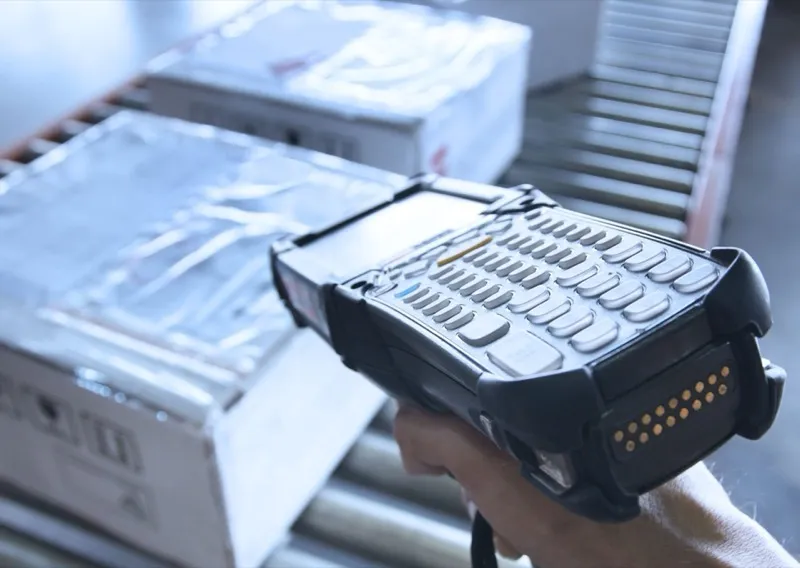
As soon as the profiles are created, the software will automatically track your assets. You’ll start to see the benefits right away. Capturing inventory details using a handheld device can significantly streamline this process, allowing you to quickly and accurately capture asset details without the need for manual entry.
The Benefits Of Controlling Your Assets
Another major benefit of controlling your IT assets effectively is improved compliance. Many industries have specific regulations regarding data security and asset management. By maintaining an up-to-date IT inventory, you can ensure compliance with regulatory standards, thereby reducing the risk of legal issues and fines.
Learning how to manage asset inventory effectively is crucial for ensuring your IT assets are always in optimal condition. This involves a combination of regular audits, automated asset tracking, and using the right management software. Some key benefits of IT inventory management include:
- Better asset condition: Set up maintenance schedule reminders to keep all of your assets in top shape.
- Eliminate ghost assets: Identify and manage assets that are out of use, and send them for repair if needed.
- Easy asset assignment: Assign assets to employees at the click of a button.
- Instant asset tracking: Know where each asset is at any given time.
- Simple reporting: Export and print reports to monitor performance and make informed decisions.
- Improved security: By knowing where assets are and who is using them, you can enhance asset security.
Using IT inventory management to its full advantage allows you to easily manage IT assets and gain greater control over almost every aspect of each asset. This reduces downtime, improves productivity, and minimises unnecessary costs.