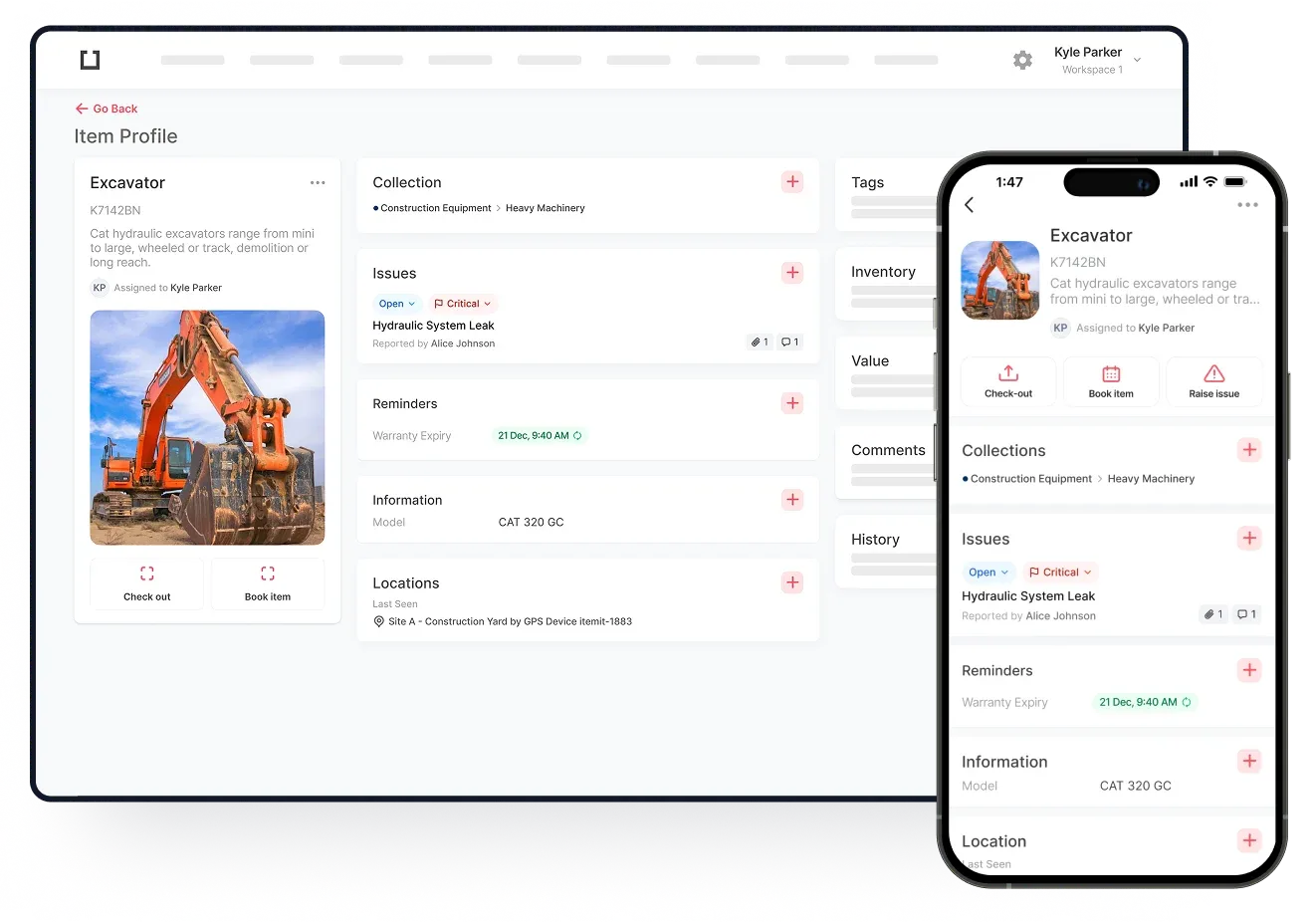
IT asset management software helps you keep track of who has what, where it is, and how it is being used. The benefit of IT asset management software is that you can view granular data against specific assets, while also having visibility over trends.
Overall, this helps you make clearer business decisions, but is also instrumental when scaling, as assigning assets to users is a breeze. On top of this, you can track asset finances and depreciation data, making tax and insurance operations simpler.
Any issues that crop up will be easy to identify and rectify, and any inefficiencies can be stamped out by the simple day to day collection of data.

What Is IT Asset Tracking Software?
IT asset tracking software is a system where you can log unique asset profiles. These profiles will be of your laptops, phones, PCs and so on. Therefore, instead of having a general view of your laptops, you'll be able to pinpoint a laptop and view that laptop's specific data.
While a spreadsheet can do a part of this, the actual creation and management of such a spreadsheet quickly becomes unwieldy. This is as each cell will represent a specific piece of data against an asset. Each time this bit of data changes, this specific cell needs to be changed. With all of the day to day changes an asset goes through, you can tell how quickly this becomes impossible to manage.
IT asset tracking software automates this as, instead of editing a cell, you'll be using a feature within your system. For example, if you're using your IT asset management software as a bookings and check in check out system, instead of changing a cell, you'll be able to press a "check out" button and this data will update, ready to be viewed, managed, and exported.
Using Asset Tags And Adding Users
Asset tags also help you speed up your operations. When working remotely, it's much easier for assets to go missing which is why asset tags are very useful.
Once you've assigned a tag to an asset, every time you scan the tag, that asset's data will show. The last seen location, time of scan, and the user who scanned the tag will also update, giving you a neat audit trail to manage.
 Watch video
You will be able to set different user permissions to give your colleagues different levels of access. When you add users, you can share the asset tracking load, too. The more people performing quick, daily operations, the faster you collect data and the more data you collect.
However, if you're onboarding and don't wish to give any permissions, you can also assign assets to "contacts". Contacts are for your records only, allowing you to report on who has which assets, and on who needs which assets without any red tape or without needing to share a system.