In film and television, your assets and equipment will move through a variety of locations on a daily basis. This is why you need efficient asset tracking software that can keep up with the busy environment of filmmaking.
For example, your cameras may be rented out, used on location, or kept in storage, ready for use. Not to mention that your assets will likely have multiple sub-assets, such as microphones, small electronics, and more.
This is why a spreadsheet should be immediately ruled out. With a spreadsheet, each asset will need a row and each bit of data, a column. As there is a range of data you need to log and track, some of it relevant, some of it not, this quickly becomes unwieldy. Also, every time your assets undergo a change, your asset register becomes out of date.
Therefore, asset tracking software is needed to keep up with asset movements, log them, and help you monitor all of the changes your assets go through.

How Does Asset Tracking Software Work?
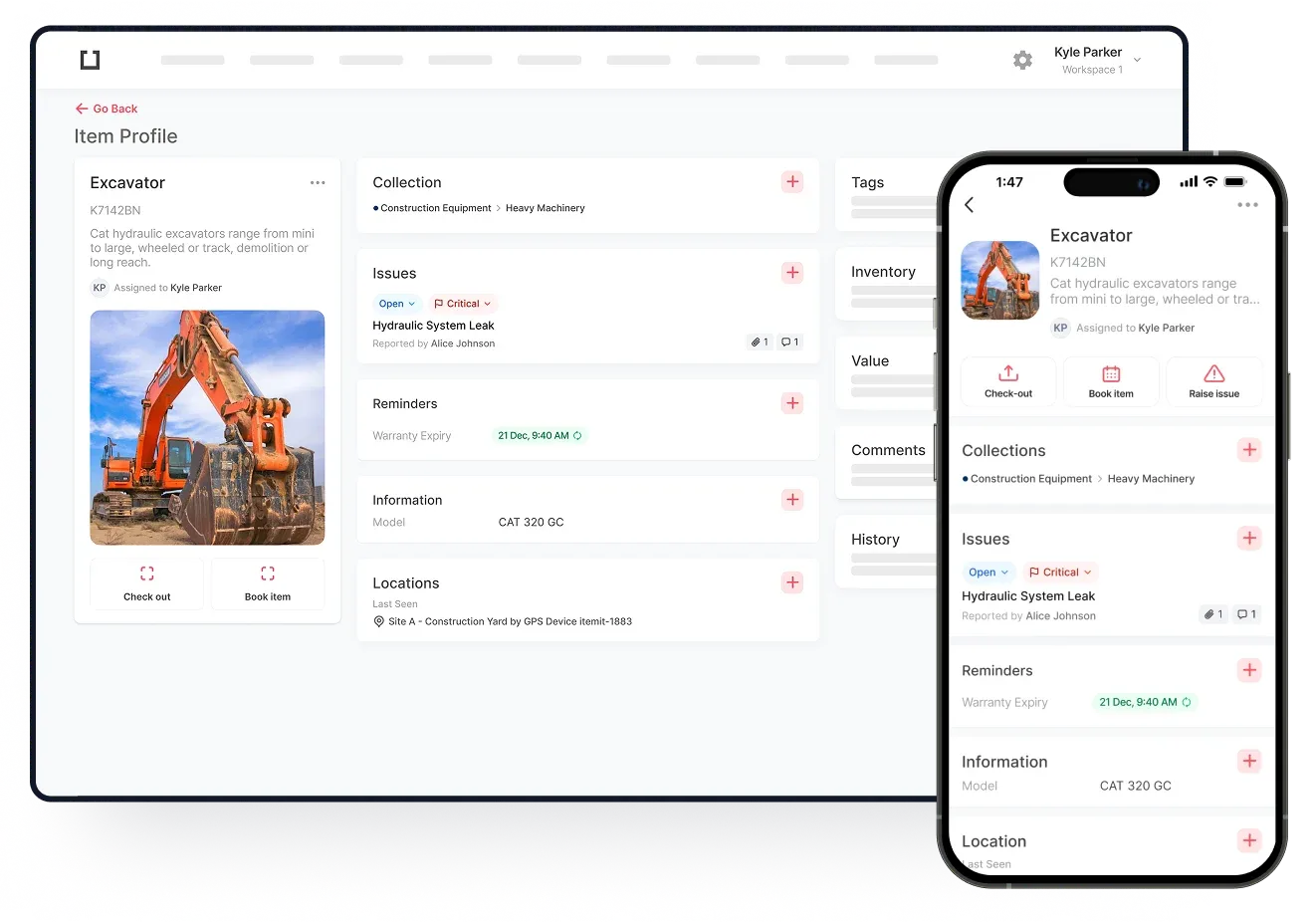
Asset tracking software is a system that allows you to log, monitor, and track your assets. Each of your assets will get a unique asset profile. This means that each bit of kit has a place that you can log asset data against.
Therefore, instead of finding specific information within a spreadsheet, you'll be able to open an asset's profile to view all of the data you need to know about that asset.
This is immediately helpful, as you can add prices, training manuals, usage information, and location data against specific assets, giving you a clear overview of how everything is behaving.
All of this data is automatically pulled into a reporting system that you can then export into a pdf or spreadsheet for tax and insurance purposes among other things.
Using Asset Tags To Track Movements And Maintenance
Asset tags speed up your asset management operations, too. These are physical tags that you stick onto your assets and link to their corresponding digital profiles.
Every time you scan an asset's tag, a few things happen. The last seen location updates, the asset's profile is opened, and the time of scan and user who scanned the tag is all updated across the board.
 Watch video
This means that you can edit your assets' data when your onsite and when you're working remotely. Also, your clients will be able to report issues on your assets should there be anything that needs to be addressed.
Tagging also opens up the ability to perform bulk actions. For example, you'll be able to check your assets out in bulk, as well as bulk move them to new locations and run audits on your equipment.