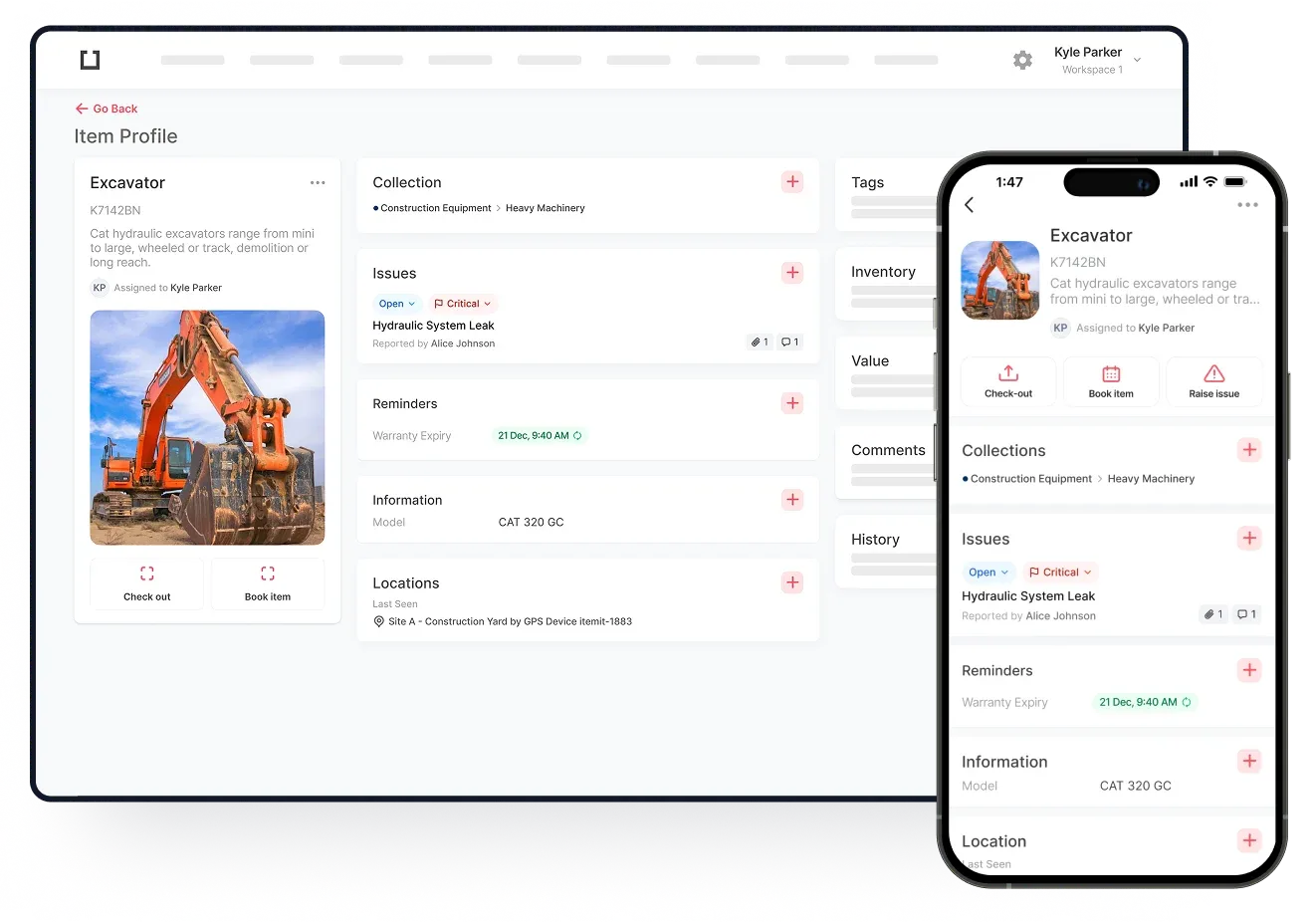
At itemit, we know how important it is for businesses to have a fixed asset register. We also know that not every business understands just how to create an asset register.
This article not only explains how to create a register it also shows the best practices for creating one.
What is a Fixed Asset Register?
A fixed asset register is ultimately a type of register that tracks, logs, and monitors all of your fixed assets. Every fixed asset will exist in your register in a digital format. This ensures that any changes made to the physical asset can be updated in the software.

The Best Practices For Creating A Fixed Asset Register
One of the first steps involves recording all of your fixed assets. Some businesses already have a record of their assets in a spreadsheet, others have theirs elsewhere. In any case, many different details about every fixed asset need to be recorded.
These details include each asset’s: Name, model number, serial number, insurance and warranty details, user instructions, date of purchase, price at purchase, current estimated value, estimated resale price, maintenance schedule, etc.
As soon as you have gathered all the above details together they can be logged into itemit’s menu.
Tagging Your Assets
The next step in the asset register creation process involves tagging your assets. The only way that you’ll be able to track the location of your assets is by tagging them. You can purchase QR codes which can be securely attached to your assets.
As soon as you have assigned a QR code, for example, to an asset, you can enter the details into the system. This ensures that the next time you scan the QR tag the details of the asset will appear.
Monitoring Your Assets
Now it’s time for you to monitor your assets. Every fixed asset that your business owns will require maintenance from time to time. Logging into itemit’s menu will show you when the asset was last maintained if the information had been added.
One of the benefits of monitoring your assets is that you’ll receive a notification when an asset needs to undergo maintenance. This is assuming that you have set up a maintenance reminder. When a reminder is received, you can choose to act on the reminder or set a reminder for another day.
Receiving a notification about the maintenance of an asset can help to keep it in good condition. As a result, the asset is less likely to break down or need replacing in the near future. As long as the asset receives its annual/bi-annual maintenance the asset should remain in good condition.
Ensuring the maintenance team receives maintenance alerts/reminders is essential. Therefore, giving someone from the team access to itemit’s menus can help. When an asset is in need of annual maintenance or repair, the team can receive an alert. This ensures that they always know when an asset needs to be inspected or repaired. As a result, less money could be spent replacing damaged assets.
 Watch video
Locating Your Assets
One of the major advantages of creating a fixed asset register is its ability to help you locate your assets. As long as a QR Code or RFID tag has been added to the asset it can be tracked.
Some fixed assets stay in the same location day after day. This means that they may not necessarily need to be located. However, some assets can be moved from time to time. Knowing where the assets are at all times can reduce the amount of time that’s spent looking for them.
Even if some assets never move from their current location it can still be helpful if they’re tracked. If a lot of people use the assets and/or the assets are located in a huge warehouse/factory, for example, being able to track them can prove to be helpful. The assets can be easier to find which means tasks can potentially be completed quicker.
Leaving Notes
When using an asset register, it is possible to leave notes about updates, issues, etc. The notes allow future users to see if there is a potential issue with the asset. Alternatively, the notes can be a quick and easy way for users to communicate with others.
Use itemit’s Fixed Asset Register
Let itemit’s fixed asset register help you to track your fixed assets all day, every day. Using the above bet practices, you too can find that tracking your assets is hugely beneficial.
Ask our friendly, expert team today how itemit can help you to track your assets. You can reach them at: team@itemit.com. Alternatively, you may wish to start making the most of our asset register solution today. Simply fill in the form below to get started.