Cloud based software: A Complete Guide
The modern business landscape has transformed completely. Organisations no longer rely on rigid, on premise physical servers. Instead, companies of all sizes embrace the immense power and flexibility of the internet to host their critical applications. This shift has placed incredible capabilities directly in the hands of users, accessible from practically any device with an internet connection. At the heart of this digital revolution is cloud based software.
Understanding this technology is essential for any modern organisation looking to optimise operations, reduce costs, and scale efficiently. This comprehensive guide will explore exactly what this technology involves. We will take an in depth look into its rich history, its core components, its remarkable benefits, vital security aspects, and importantly, the role it plays in sustainability. By the end of this article, you will have a clear, actionable understanding of how to implement these solutions in your own business.
Furthermore, we will look at how moving your foundational processes to the internet can protect your assets. For organisations managing equipment, tools, or IT hardware, having a robust cloud system is no longer optional. It is absolutely essential.
What Is Cloud based software?
At its core, cloud based software refers to applications, services, or resources made available to users on demand via the internet from a remote provider's server. Simply put, instead of installing a program on your own computer's hard drive or a local office server, you access the application through a web browser or a dedicated mobile app. Your data is stored securely in large data centres maintained by the provider.
Consider the traditional method of purchasing software. You would buy a physical disk or download a massive file, install it on a specific machine, and then manually manage all updates and patches. If that specific machine broke down, you risked losing all your data unless you maintained strict manual backups. This older model created severe limitations for collaboration, scalability, and disaster recovery.
Cloud applications solve all these problems instantly. They operate on a subscription or pay as you go model. The software provider handles all the heavy lifting, including maintenance, updates, security, and data storage. Users simply log in and start working. This model allows teams spread across different continents to collaborate in real time on the exact same document or database, knowing that every change is saved instantly to the provider's servers.
The ubiquity of these services is staggering. From streaming platforms and email clients to complex enterprise resource planning systems and asset tracking tools, almost every modern application leverages this remote hosting model. The convenience, combined with reduced upfront capital expenditure, has made this the default choice for new business deployments.
Benefits of cloud computing
The widespread adoption of remote computing is not a passing trend. It is driven by very clear, measurable business advantages. Here, we outline the most compelling reasons why organisations are abandoning local servers.
Cost Efficiency and Predictability
Perhaps the most significant advantage is the drastic reduction in upfront capital costs. Purchasing hardware, setting up physical servers, and maintaining cooling systems require immense investment. With remote applications, you shift from capital expenditure to operating expenditure. You only pay for what you use, usually on a monthly or annual subscription. This predictability makes budgeting significantly easier for startups and large enterprises alike.
Unmatched Scalability and Flexibility
In the past, if a business experienced sudden growth, IT departments had to scramble to purchase, configure, and deploy new servers. This process could take weeks or months. Today, scaling up your capacity takes only a few clicks. If your business experiences a seasonal spike in traffic or hires a large batch of new employees, you can instantly provision more storage, processing power, or user licenses. Conversely, if you need to scale back, you can do so just as easily, ensuring you never pay for idle resources.
Enhanced Collaboration
Modern teams are rarely in the same room. Working remotely presents challenges that local servers simply cannot resolve effectively. Cloud technologies allow multiple users to view, edit, and share data in real time, from anywhere in the world. Whether your team is in a London office or working from a café in Tokyo, everyone has access to the single source of truth. This eliminates disjointed communication and prevents the dreaded scenario of conflicting file versions.
Ready to see cloud based asset tracking in action?
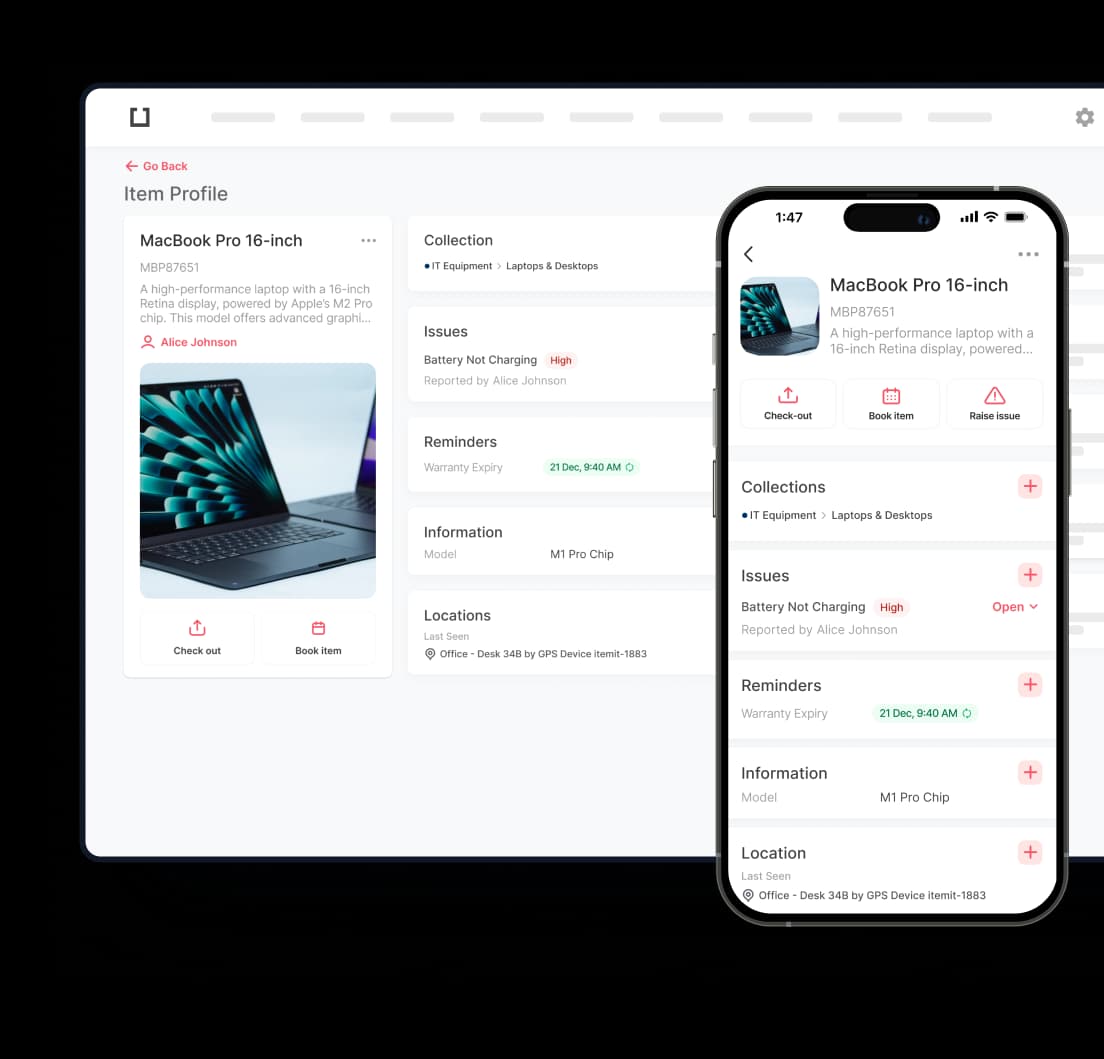
If you are exploring how modern software can transform your equipment management, the itemit system offers an intuitive, powerful solution built entirely for the modern web.
Book a Demo TodayAutomatic Updates and Maintenance
Managing software updates across hundreds of local machines is a tremendous drain on IT resources. Cloud software providers handle all updates, security patches, and system upgrades behind the scenes. When users log in, they instantly have access to the latest features and the most secure version of the platform. This hands off approach allows internal IT teams to focus on strategic initiatives rather than mundane maintenance.
Disaster Recovery and Business Continuity
Data loss is a catastrophic event for any business. Whether caused by hardware failure, theft, or natural disaster, losing locally stored information can halt operations entirely. Cloud computing providers offer robust, automated backup systems and disaster recovery protocols. Your data is mirrored across multiple geographical locations. If one data centre experiences an issue, another seamlessly takes over, ensuring your business experiences zero downtime.
Origins of cloud computing
While the terminology might seem to belong entirely to the 21st century, the foundational concepts date back much further. Understanding this history provides valuable context for how far the technology has progressed.
During the 1960s, computing hardware was incredibly expensive and massive in scale. Mainframe computers required dedicated rooms and expert engineers to operate. Because individual users could not afford their own machines, the concept of time sharing was developed. Multiple users accessed a central mainframe via dumb terminals, keyboards and screens with no processing power of their own. This shared access model is the conceptual ancestor of today's internet based services.
In the 1970s and 1980s, the development of virtual machines allowed multiple distinct computing environments to run on a single physical server. This was a critical technological leap, laying the groundwork for the efficient allocation of server resources we see today.
The true turning point arrived in the late 1990s and early 2000s, driven by the explosive growth of the internet and increasing broadband speeds. Companies like Salesforce pioneered the idea of delivering enterprise applications over a website, marking the birth of modern Software as a Service. This proved that complex business software did not need to be installed locally from a CD ROM.
Shortly after, Amazon launched Amazon Web Services, offering flexible, pay as you go computing infrastructure to businesses. This transformed the entire industry, removing the need for companies to build their own costly data centres. Google and Microsoft soon followed, leading to the massive, highly competitive ecosystem we rely on today.
Cloud computing components
To fully grasp how these systems operate, it is essential to understand the different layers and architectures that make up the ecosystem. These components are generally categorised into three main service models.
Infrastructure as a Service (IaaS)
This is the fundamental building block. With IaaS, a provider supplies the essential compute, storage, and networking resources on demand. You are essentially renting virtual servers and hard drives. The provider manages the physical hardware in their data centre, but you remain responsible for installing and managing the operating systems, databases, and applications. This model offers the highest level of control and flexibility, favoured by developers and highly technical IT departments.
Platform as a Service (PaaS)
PaaS builds upon IaaS by providing a framework for developers to build, test, deploy, and manage applications without worrying about the underlying infrastructure. The provider manages the servers, storage, networking, and operating systems. Developers simply write code and push it to the platform. This significantly speeds up the software development life cycle, allowing teams to focus purely on creating the application logic rather than configuring servers.
Software as a Service (SaaS)
SaaS is the most common and widely recognised component. This model delivers fully functional, ready to use applications directly to the end user over the internet. You do not manage any underlying infrastructure, operating systems, or application code. The provider handles everything, including maintenance, security, and feature updates. Examples include modern email clients, customer relationship management systems, and sophisticated asset tracking platforms like itemit.
Deployment Models
Beyond the service types, the infrastructure can be deployed in several ways:
- Public: Resources are owned and operated by a third party provider and shared among multiple tenants over the public internet. This is the most common and cost effective model.
- Private: Infrastructure is dedicated exclusively to a single organisation. This can be hosted on site or by a third party. It offers enhanced control and security but lacks the cost benefits of public sharing.
- Hybrid: A combination of public and private environments, allowing data and applications to move seamlessly between them. This approach offers flexibility and helps businesses meet strict regulatory compliance while still leveraging public resources.